钱包创建
与获取稳定币(手机版)
Mobile Wallet Setup
& Stablecoin Acquisition
INTRODUCTION
本教程面向首次使用手机进行数字资产操作的用户,将帮助你完成:
- 在手机上创建 OKX 钱包、Phantom 钱包 或 币安钱包;
- 向钱包中充值、购买或转入 USDT;
- 资金准备好后,可连接 RWA 平台进行后续交易。
建议: 新手可优先选择 OKX 或币安,买币和提现更直观;Phantom 更适合熟悉链上操作的用户。
SECTION 1 · 创建钱包
1. 安装钱包 App
打开手机应用商店(App Store / Google Play),搜索并下载任一钱包:
- 欧易(OKX)
- Phantom 钱包
- 币安(Binance,需非中国大陆、非美国地区 Apple ID)
钱包类型速览:
- OKX 钱包:买币 / 提币 / 连接链上应用一体化,新手友好。
- Phantom:Solana 专用去中心化钱包,管理链上资产、通过Debit/Credit Card进行买币。
- 币安钱包:默认中心化托管账户,可选升级为 Web3 私钥钱包。
2. OKX 钱包创建步骤
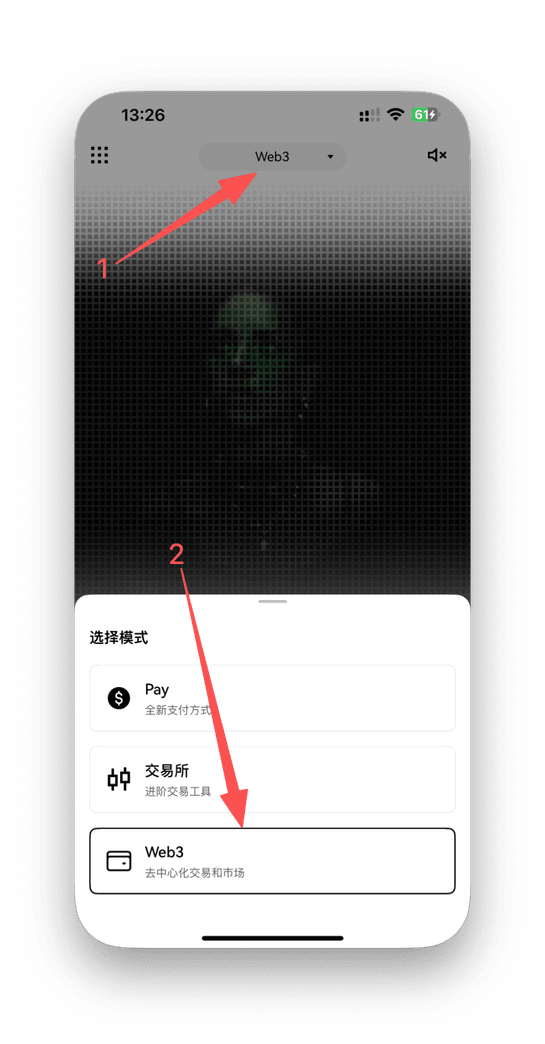
- 打开欧易 App → 切换到 「Web3 钱包」 模式;
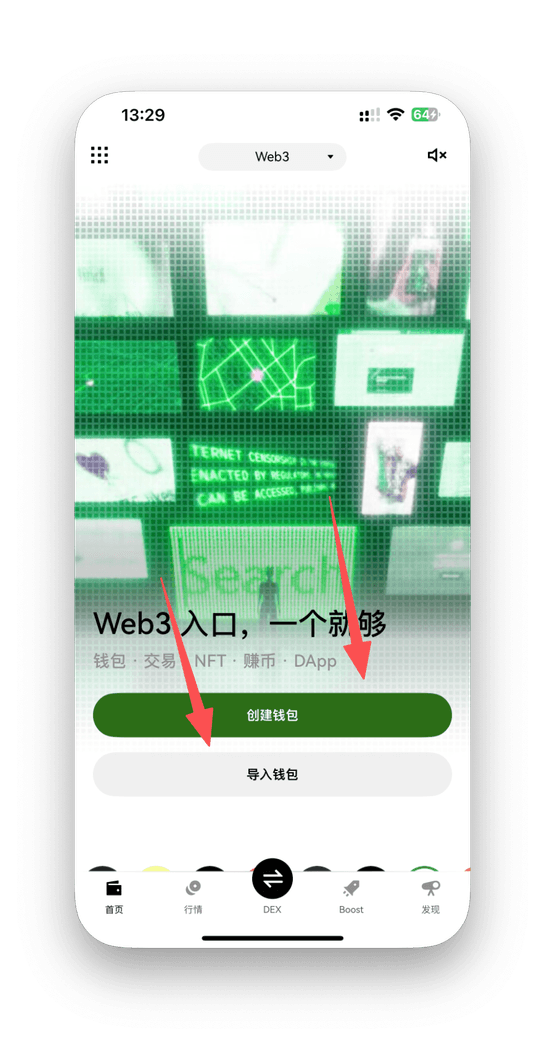
- 点击 「创建钱包」;
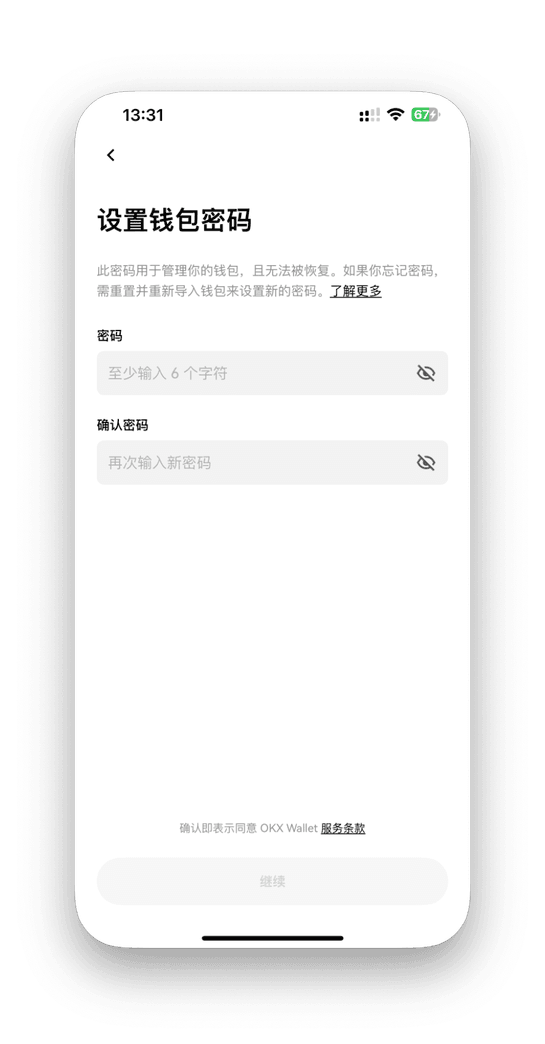
- 设置登录密码;
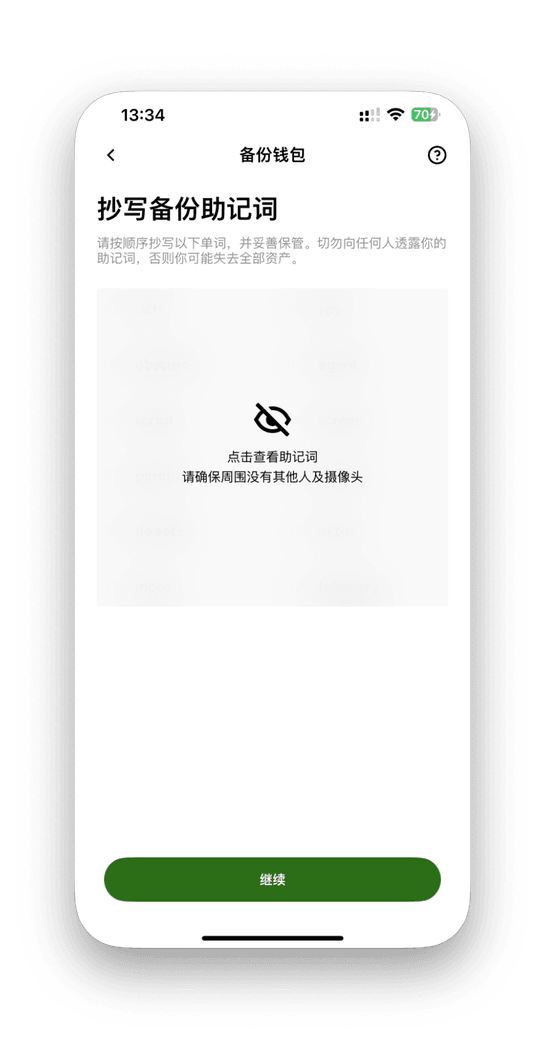
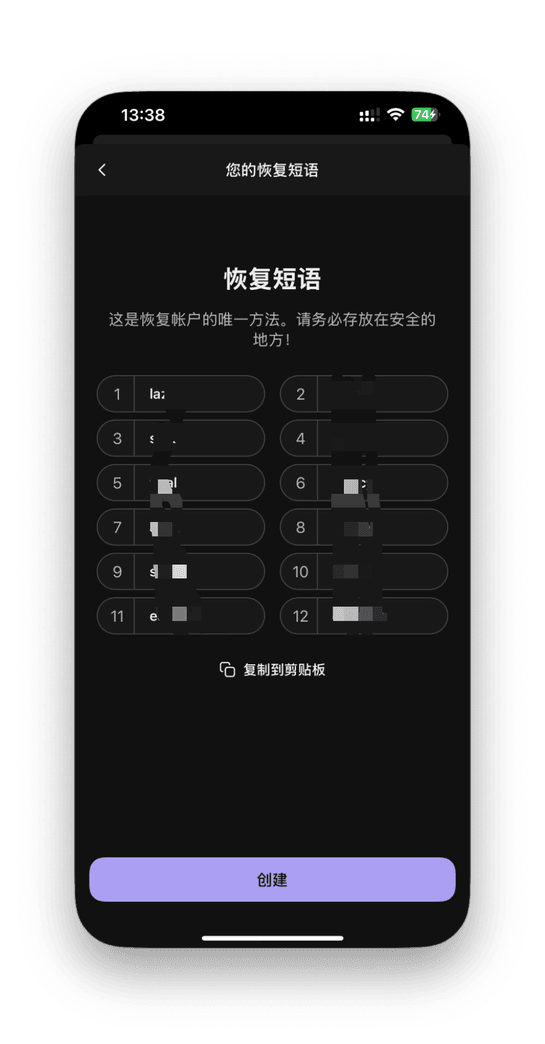
- 抄写并保存系统生成的 助记词。
3. Phantom 钱包创建步骤
- 打开 Phantom App → 选择 「Create new wallet」;
- 设置解锁密码;
- 手抄助记词并保存在安全的、离线的位置。
4. 币安钱包创建与升级
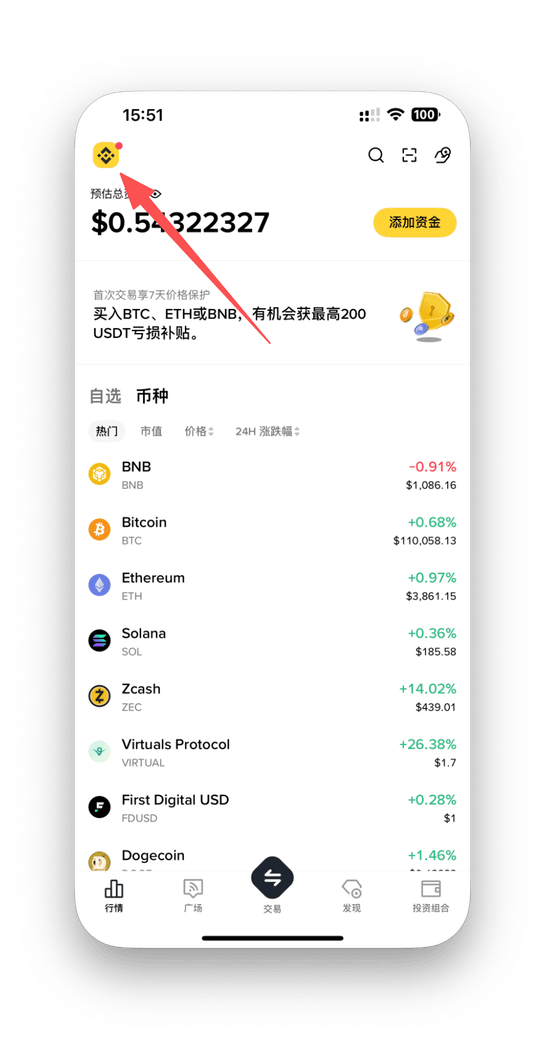
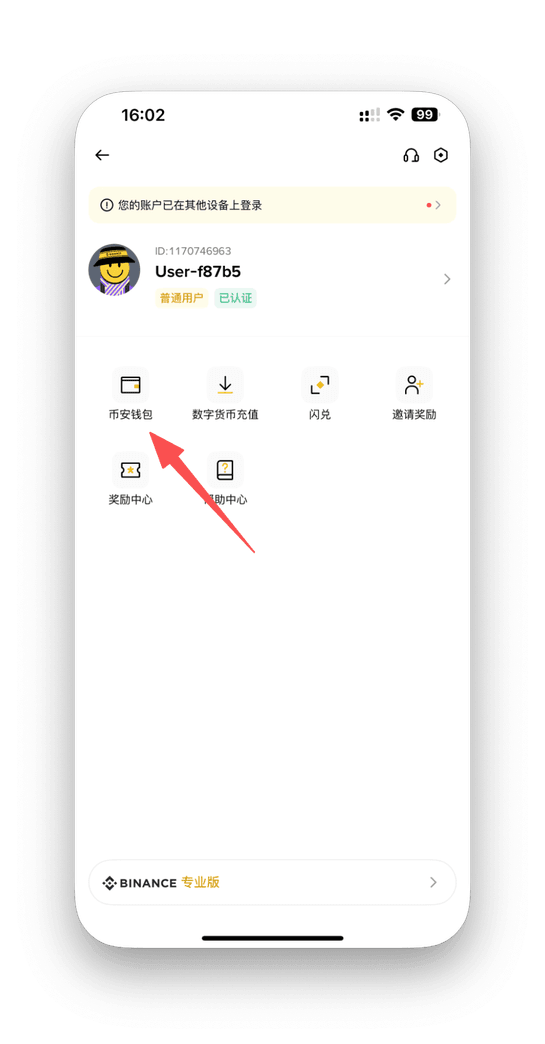
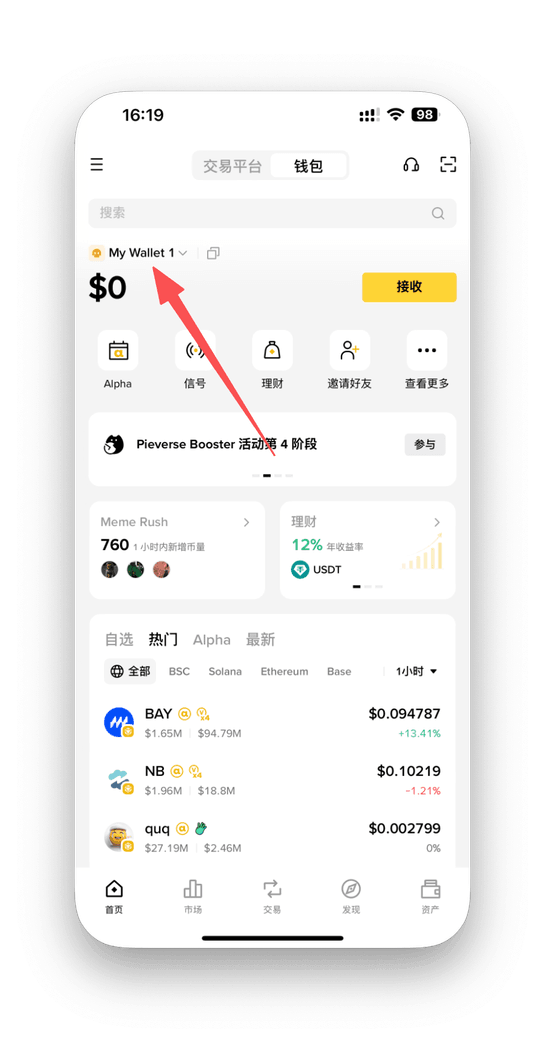
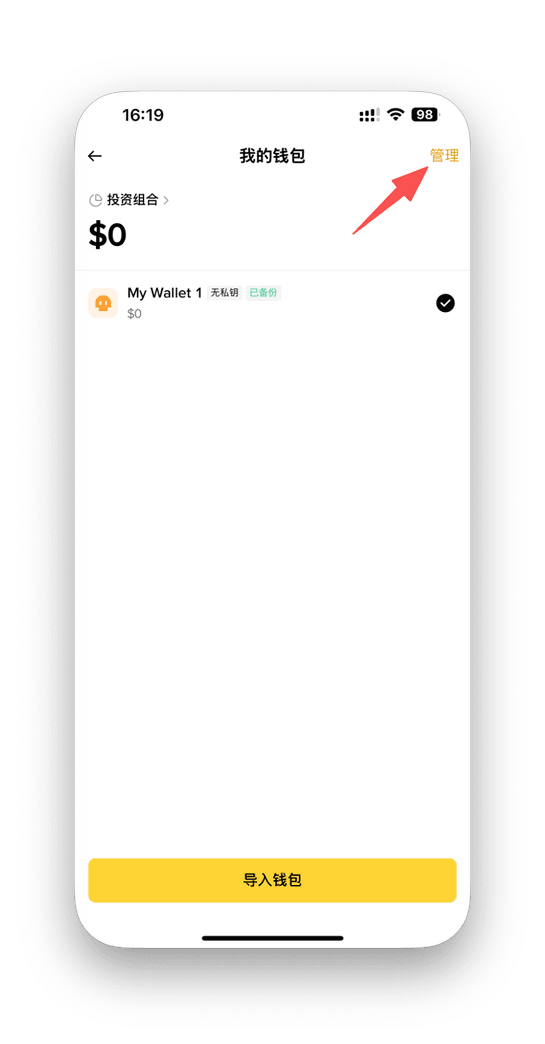
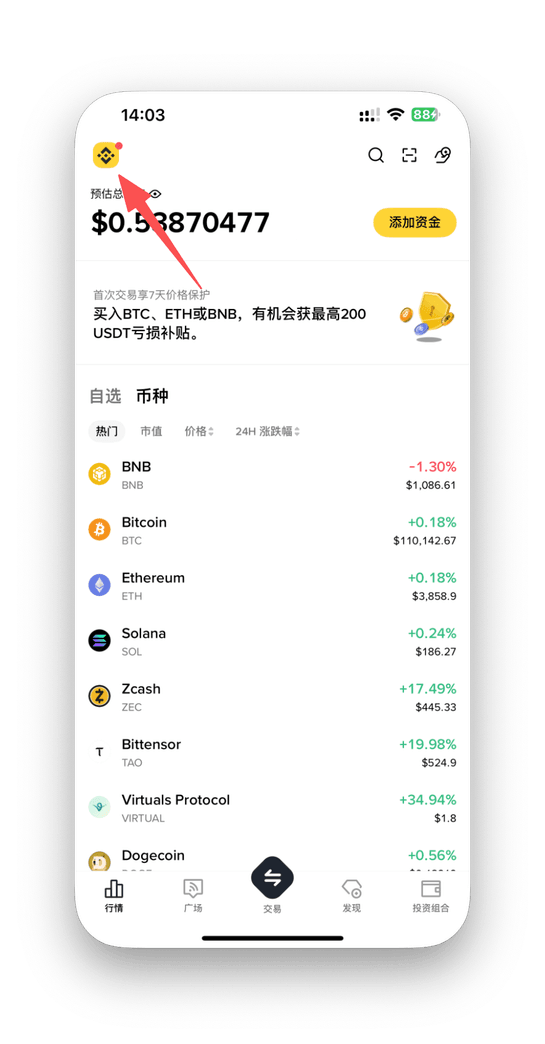
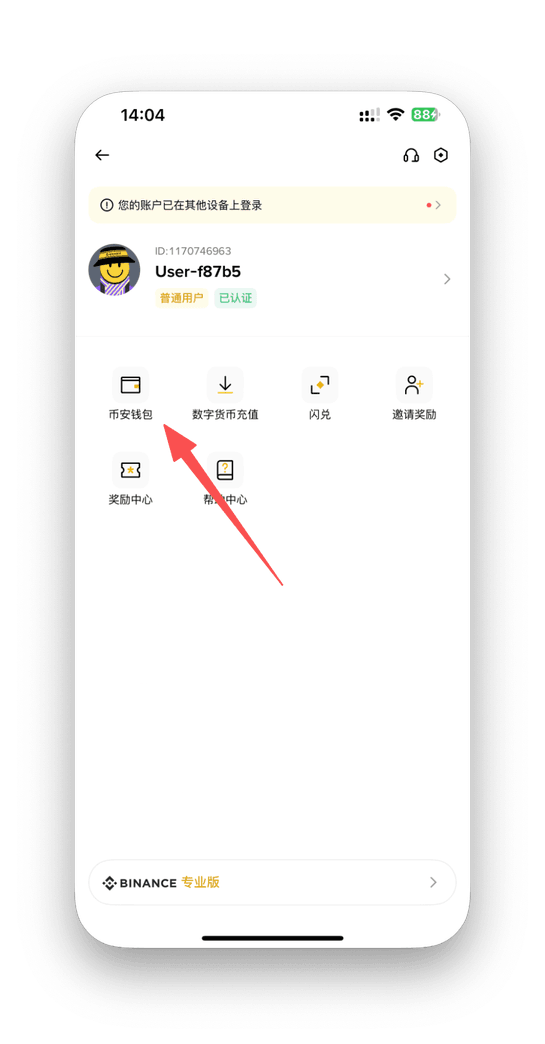
- 在币安 App 点击头像 → 进入 「币安钱包」;
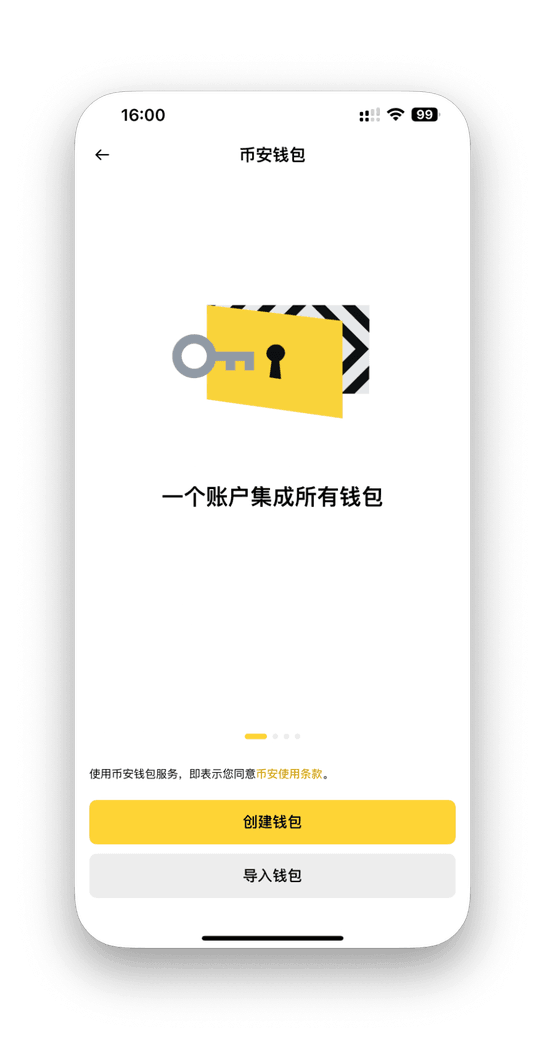
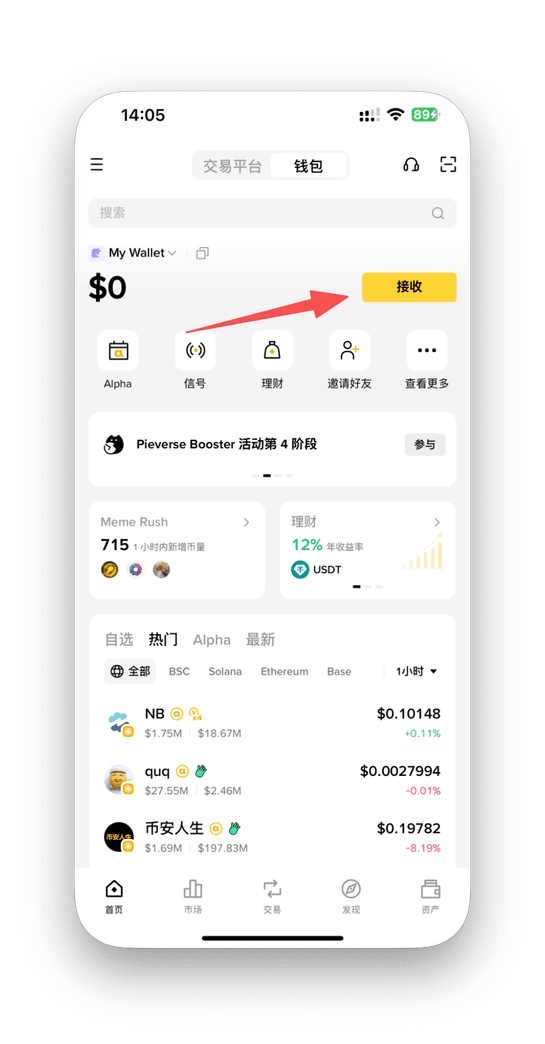
- 首次进入为 中心化托管钱包;
- 可选择升级为 私钥钱包(Web3 钱包);
- 升级时妥善保存导出的 私钥/助记词;
- 带 Sol 标识的钱包即为 Solana 链地址。
安全提醒: 助记词 = 钱包所有权凭证,不要截图或上传云端,建议写在纸上并分散保存。
SECTION 2 · 准备资金(获取 USDT)
1. 已有 USDT:从交易所提现到钱包
欧易(OKX)提现到手机钱包:
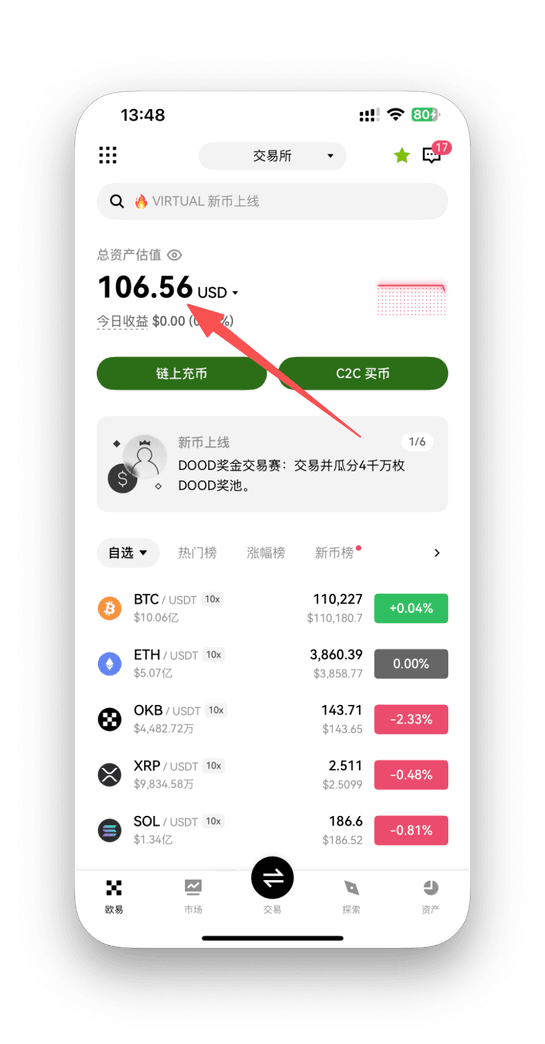
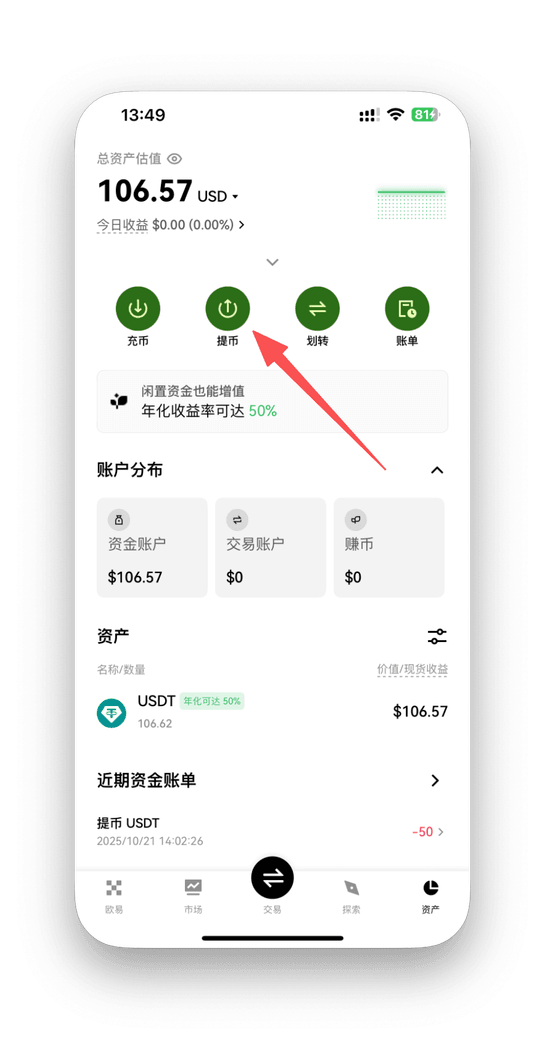
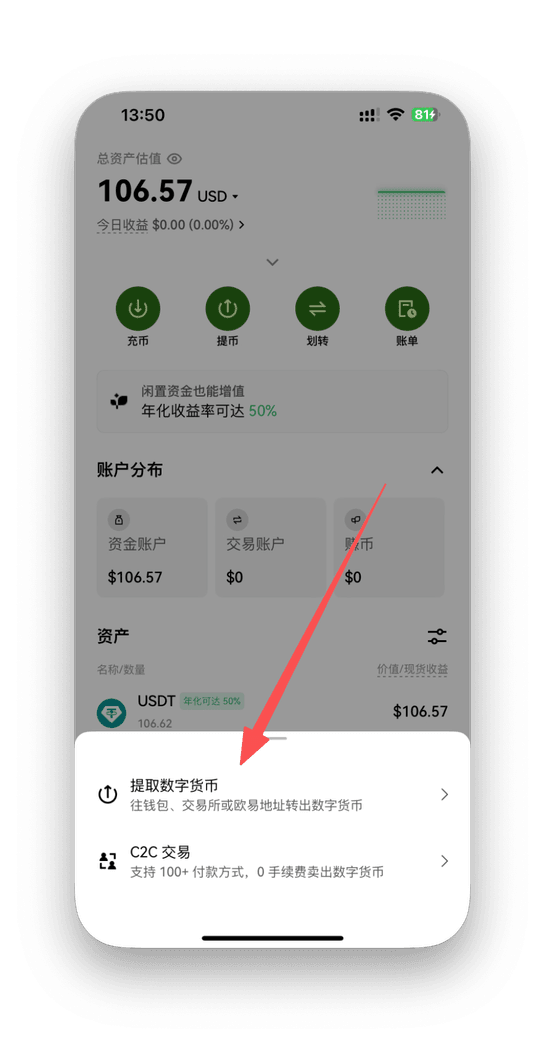
- 登录欧易 App → 资产页面;
- 选择 「提币」→「提取数字货币」,资产选 USDT;
- 打开手机钱包复制 Solana 地址;
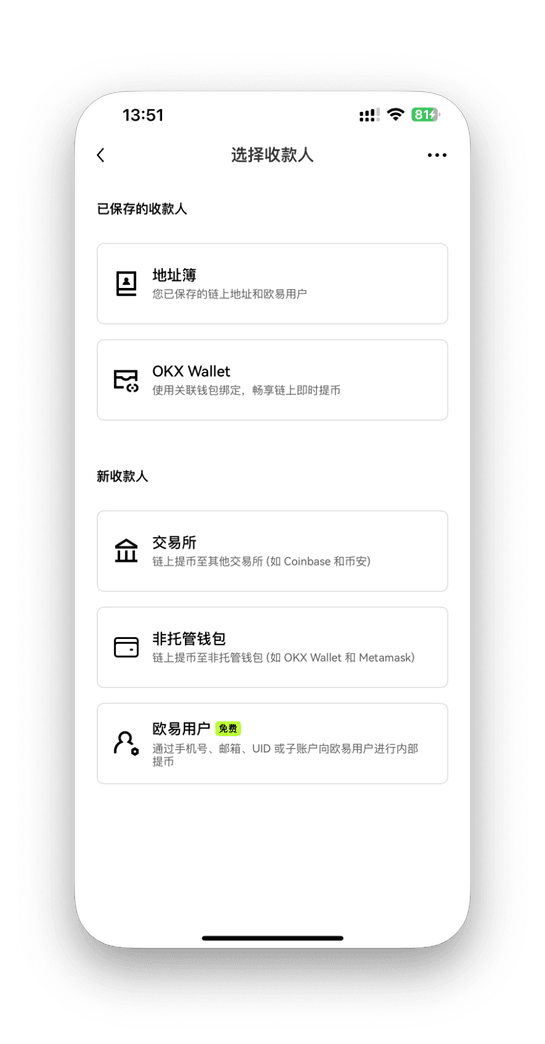
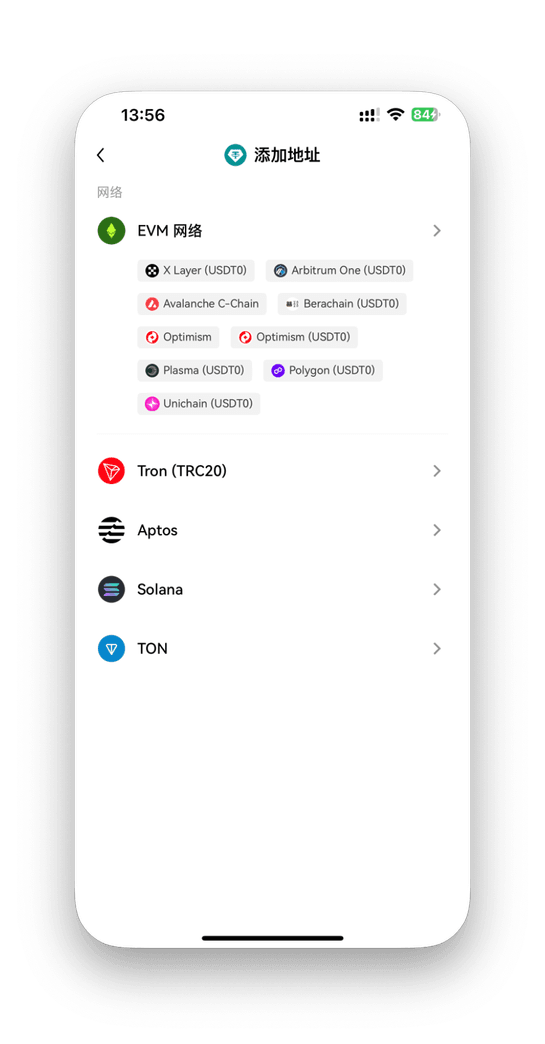
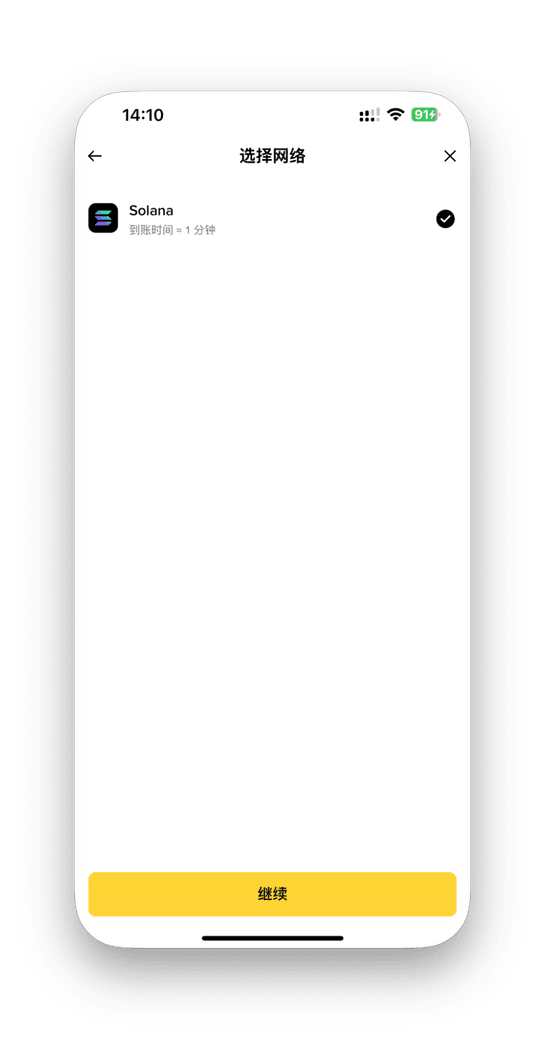
- 在欧易地址簿中添加地址,网络选 Solana;
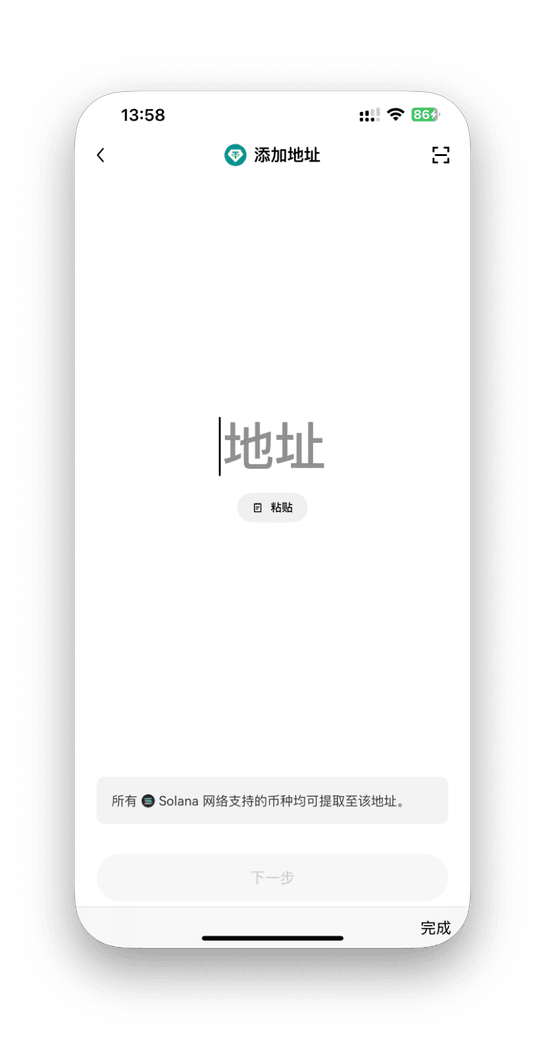
- 粘贴地址 → 输入数量 → 确认提币。
币安(Binance)提现到手机钱包:
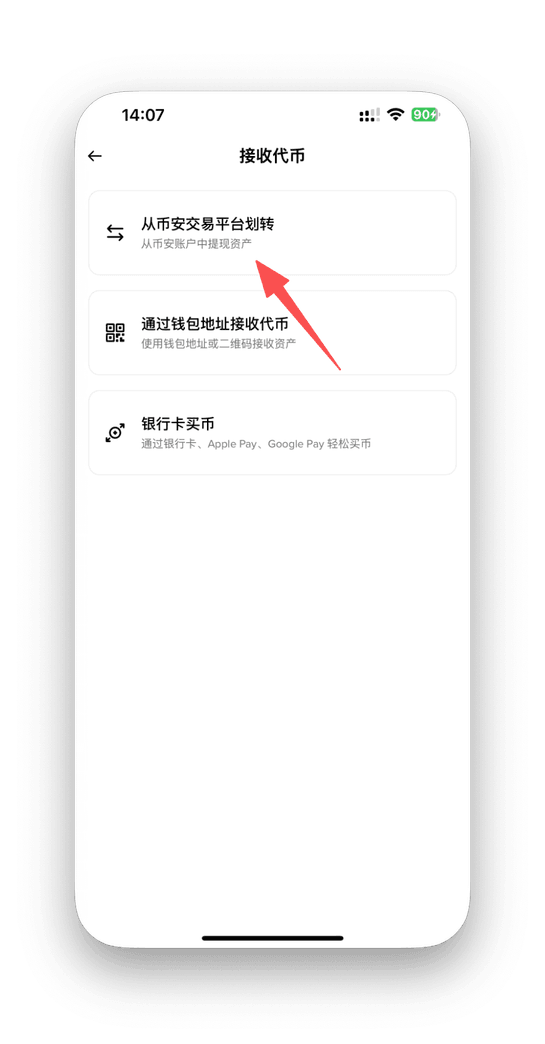
- 打开币安 App → 进入币安钱包或现货资产;
- 选择 USDT → 提现 / 划转;
- 网络选择 Solana(SOL);
- 粘贴手机钱包的 Solana 地址,输入金额并确认。
2. 没有 USDT:在交易所用法币买入
欧易 App 购买 USDT:
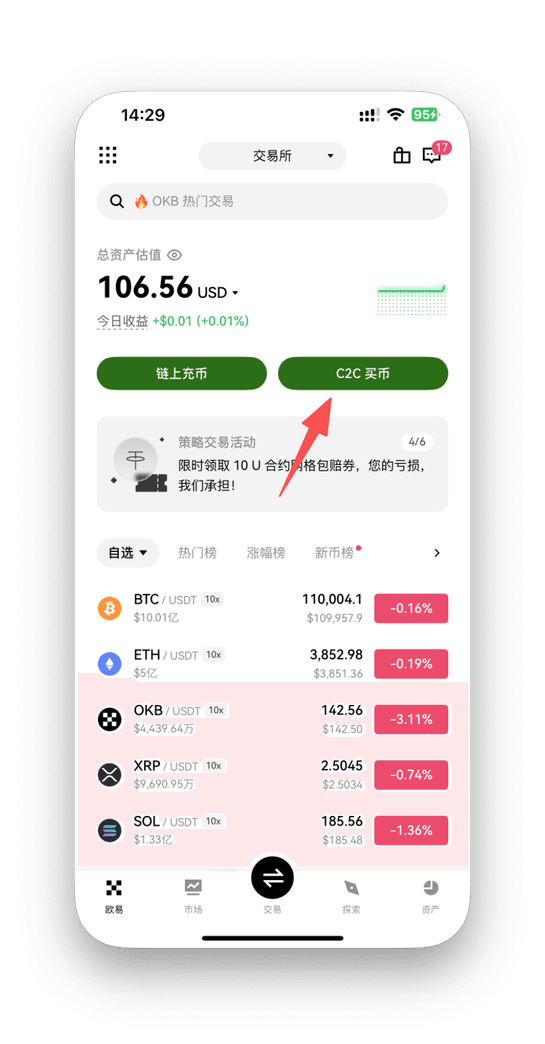
- 打开欧易 App → 点击 「C2C 买币」→「快捷购买」;
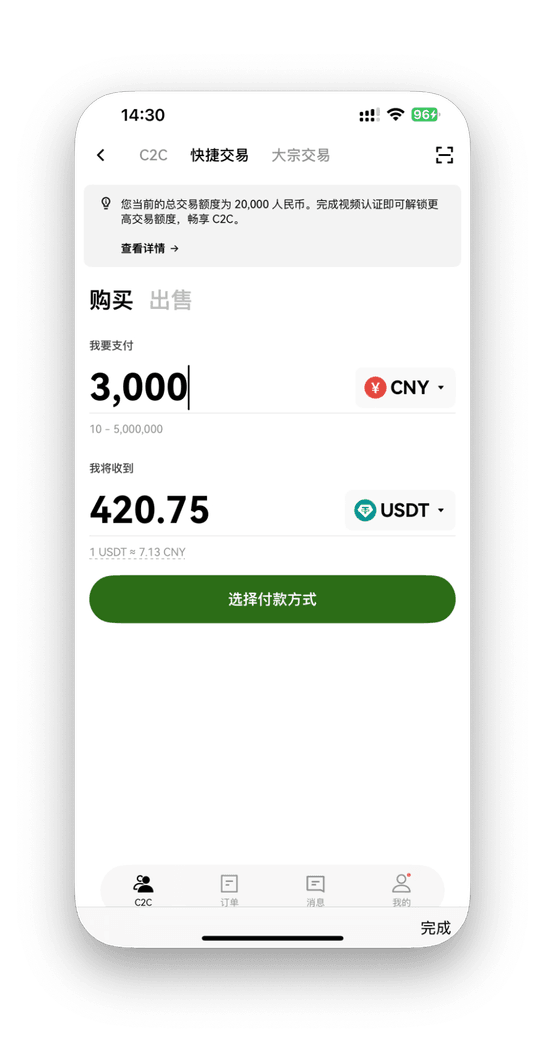
- 选择币种 USDT,输入购买金额;
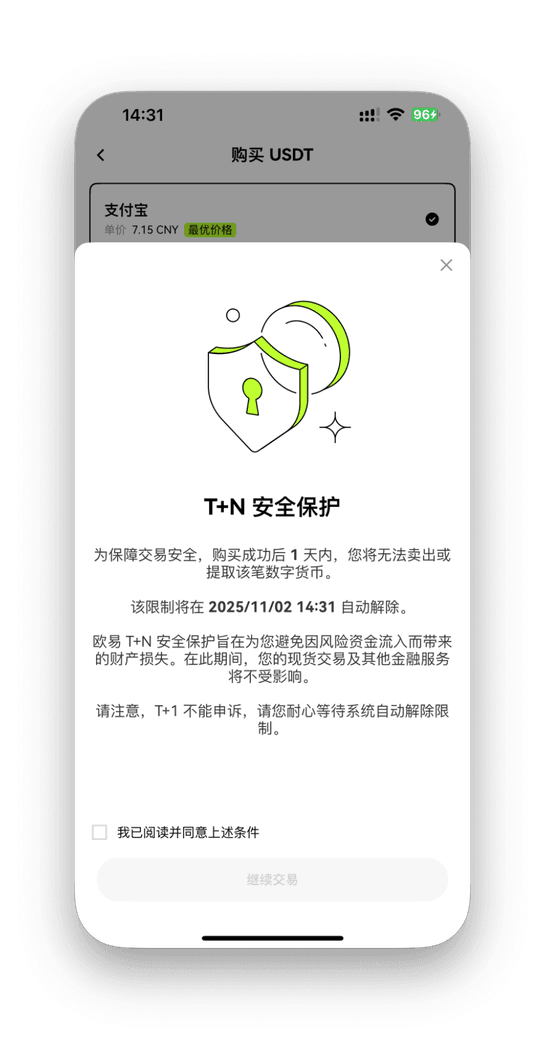
- 选择支付方式并完成订单;
- USDT 到账后,按上方步骤提现到手机钱包。
币安 App 购买 USDT:
- 打开币安 App → 点击 「买币」→「快捷买币 / P2P」;
- 选择 USDT,输入金额;
- 选择支付方式,确认购买;
- 完成后按上方步骤提现到手机钱包。
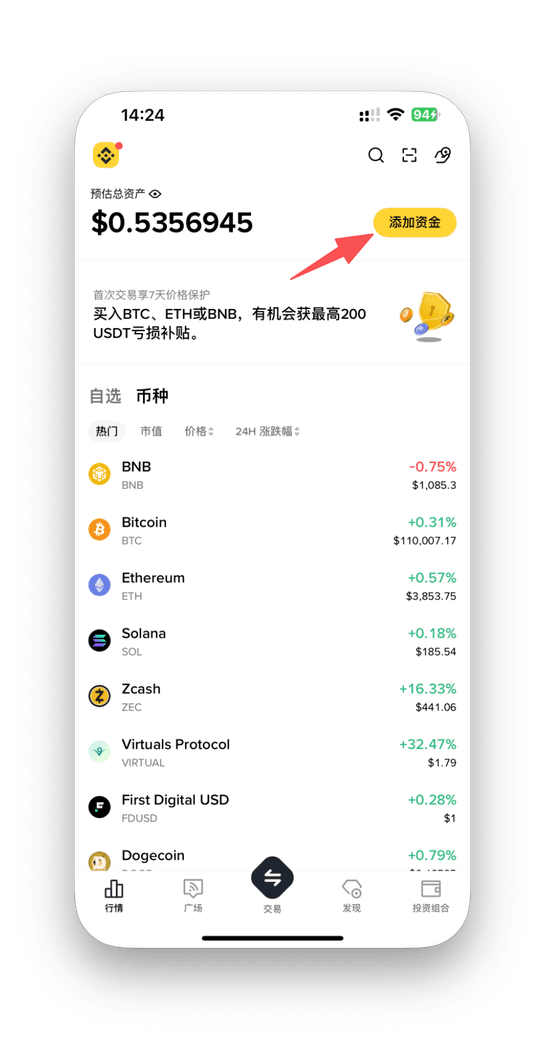
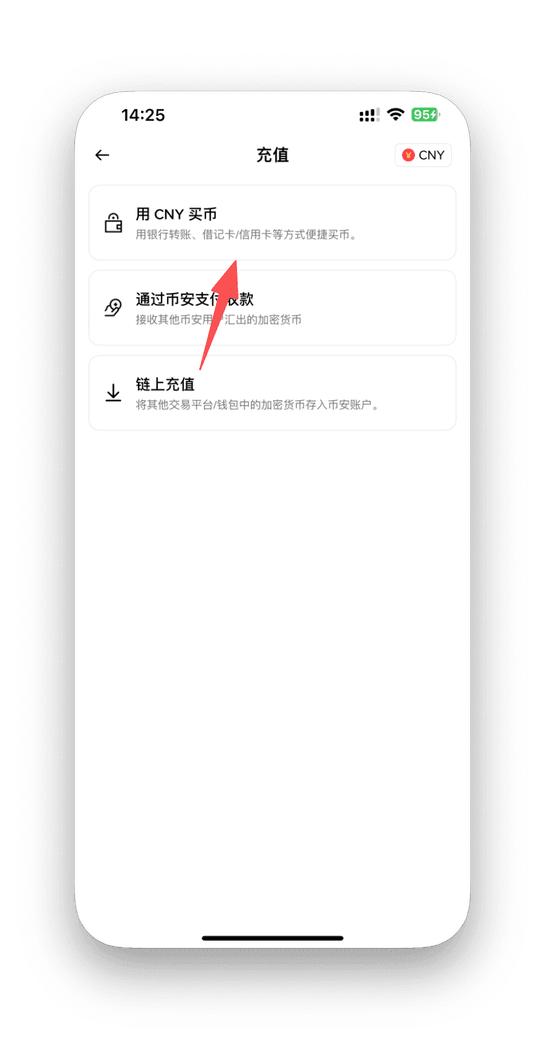
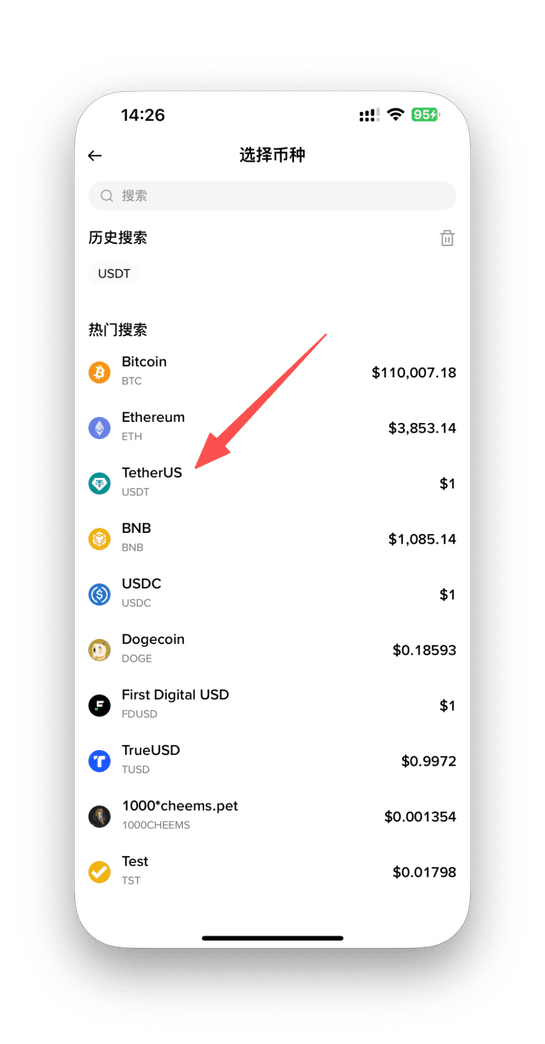
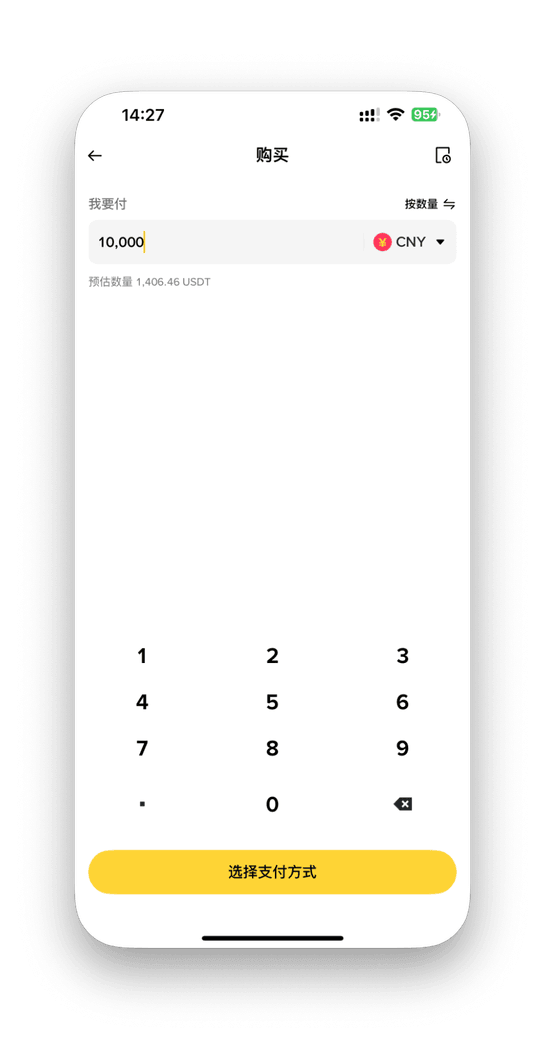
小提示:买币 → 到账 → 选择 Solana 网络提现 → 粘贴手机钱包地址 → 确认,资金即可转入你自己掌控的钱包。
SECTION 3 · 钱包之间的转账
如果你在其他钱包(Metamask、Phantom 旧账号、Trust 等)已持有 USDT,可链上转账到本次使用的钱包。
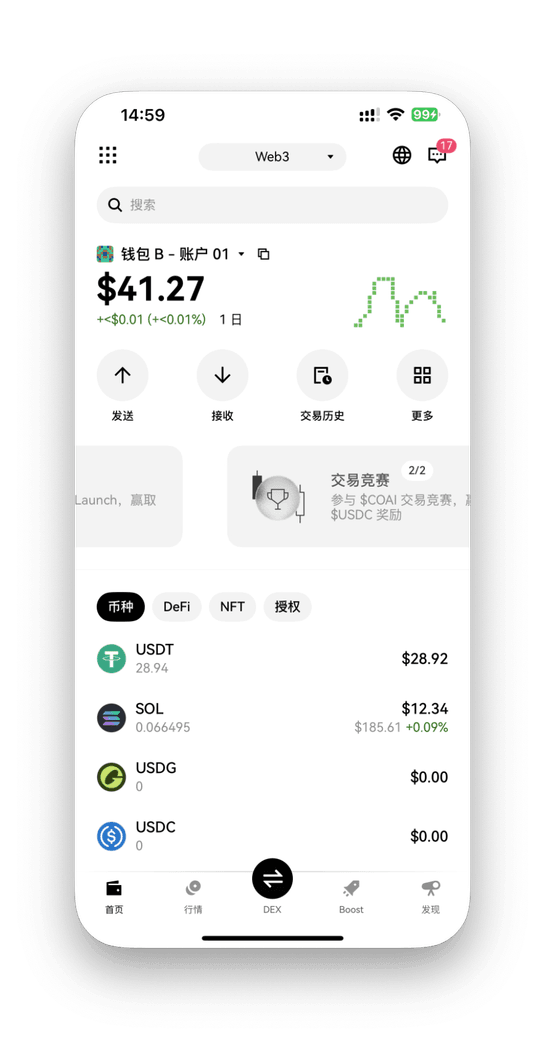
1. 从 OKX 钱包发送 USDT
- 打开 OKX Web3 钱包 → 点击 「发送」;
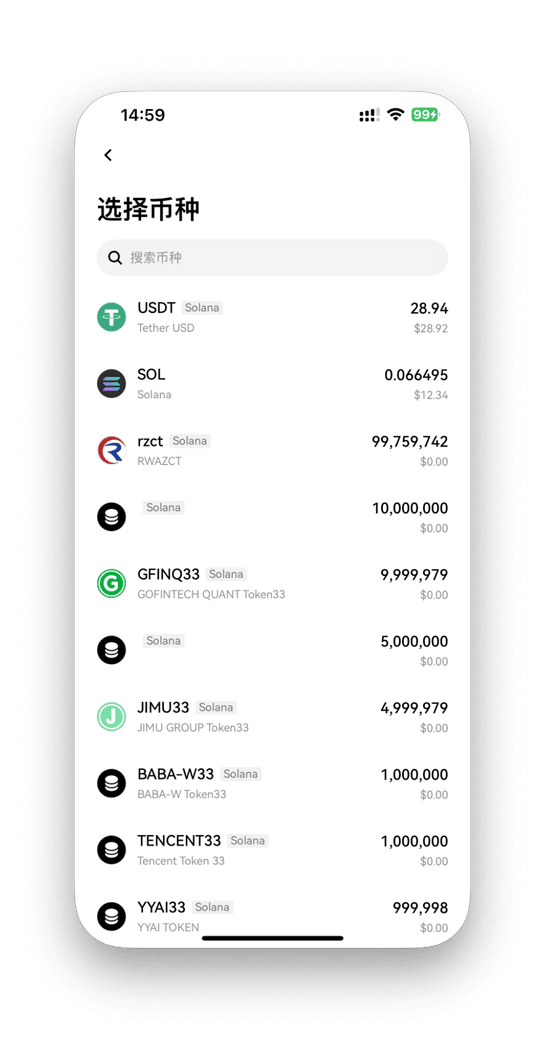
- 选择代币 USDT;
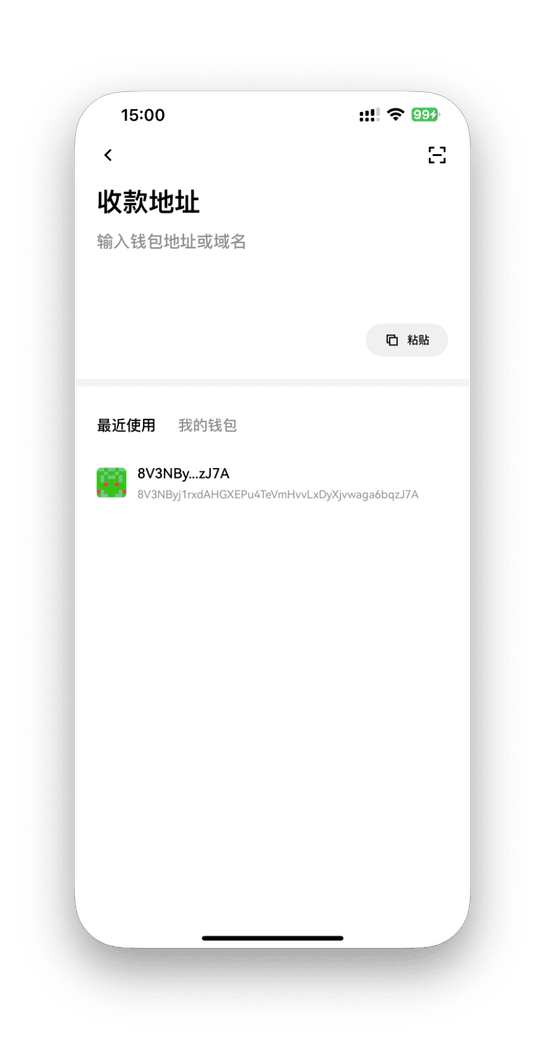
- 粘贴目标钱包的 Solana 地址;
- 确认手续费和金额后提交。
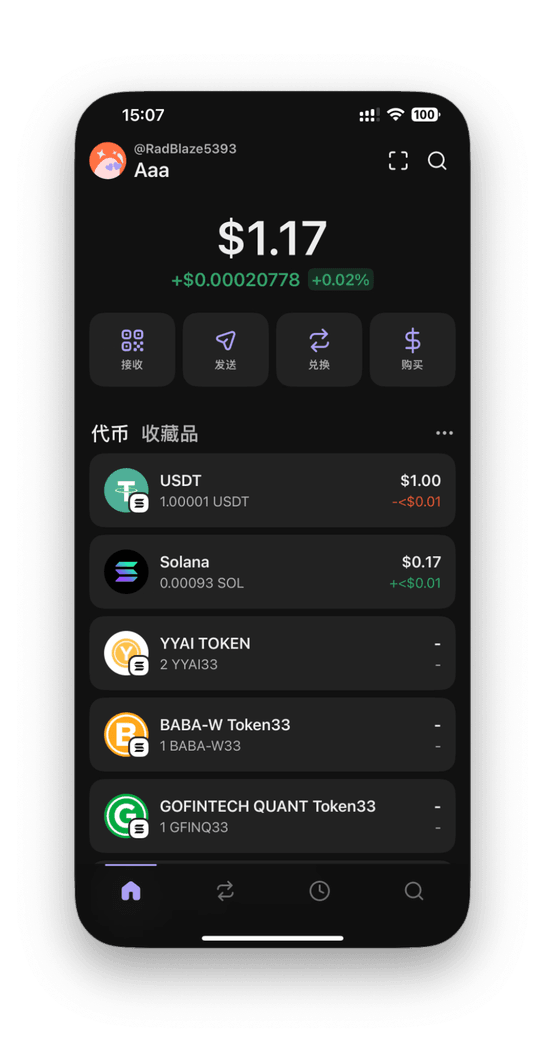
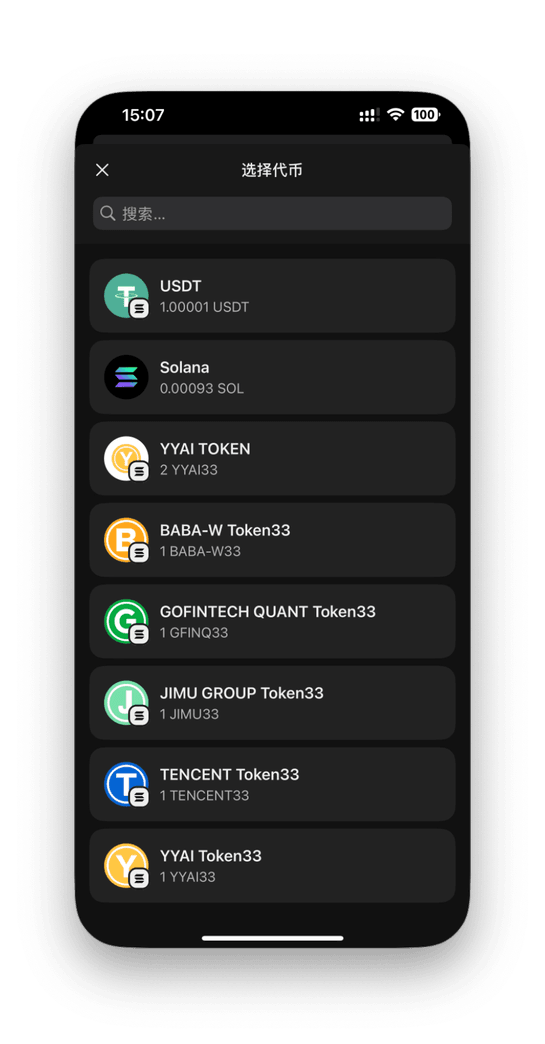
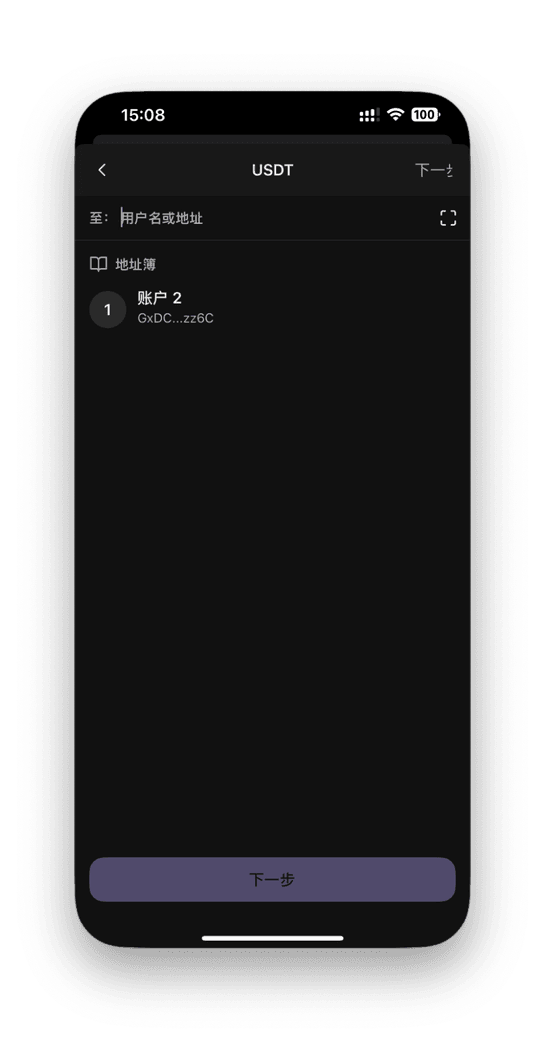
2. 从 Phantom 钱包发送 USDT
- 打开 Phantom → 点击 Assets;
- 选择 USDT → Send;
- 粘贴目标钱包地址;
- 输入金额并确认。
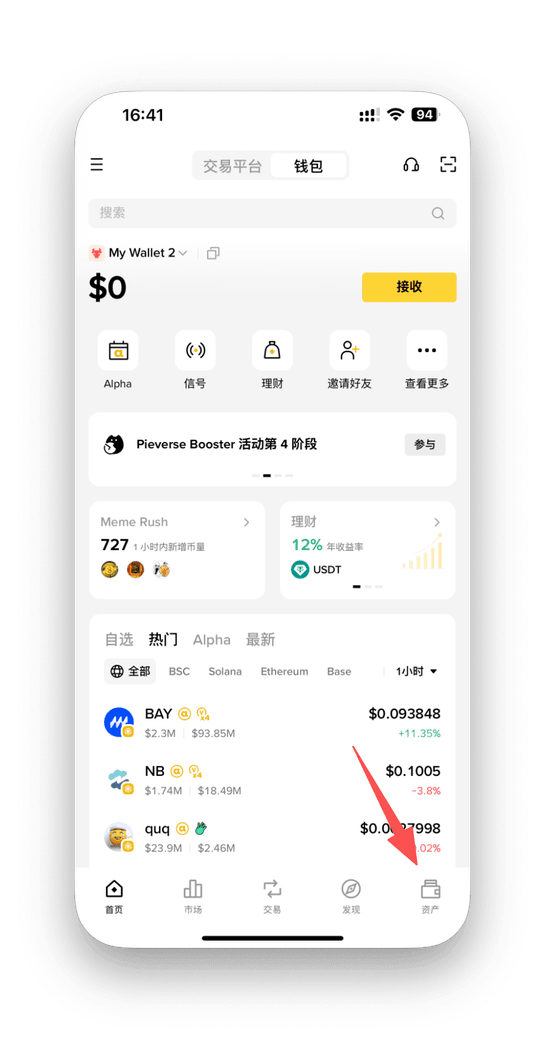
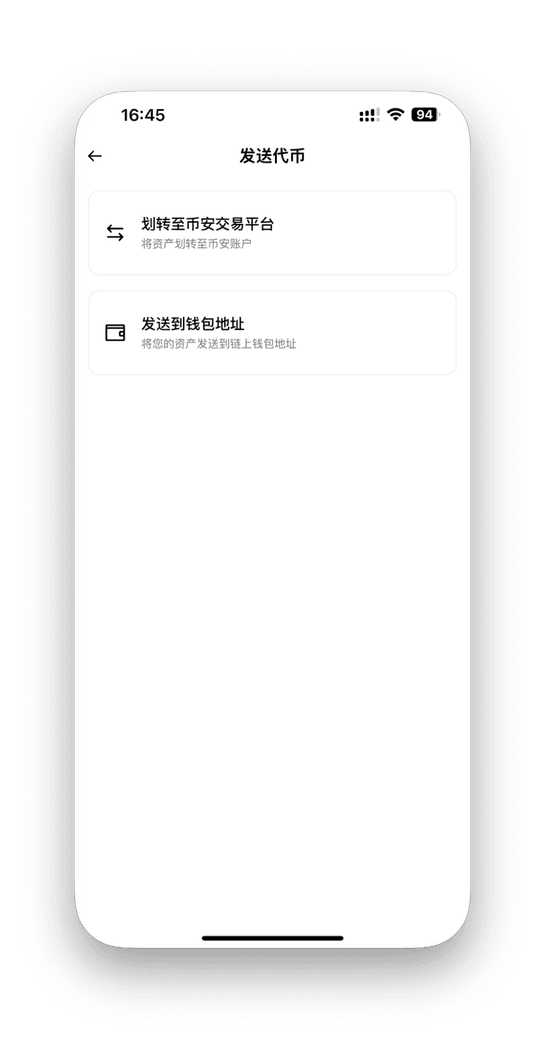
3. 从币安钱包发送 USDT
- 点击右下角 资产,进入钱包资产页;
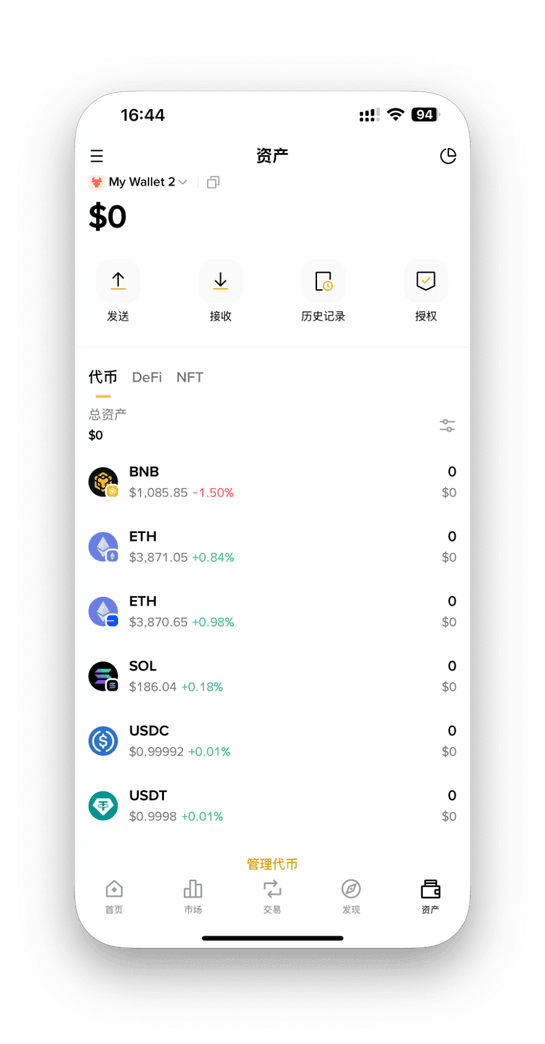
- 点击 发送;
- 选择发送到钱包地址,粘贴目标地址,输入金额并确认转账,等待链上确认。
注意: Solana 链转账需少量 SOL 作为 Gas,如提示不足请先充值少量 SOL。
INTRODUCTION
This guide is for users who are using a mobile phone for crypto for the first time. You will:
- Create a wallet on your phone (OKX Wallet, Phantom, or Binance Wallet);
- Top up, buy, or transfer in USDT to your wallet;
- Get ready to connect to the RWA platform for further transactions.
Tip: For beginners, OKX or Binance is usually easier for buying and withdrawing. Phantom is ideal once you are familiar with on-chain operations.
SECTION 1 · CREATE YOUR WALLET
1. Install wallet apps
Open App Store or Google Play and download:
- OKX (exchange + Web3 wallet)
- Phantom (non-custodial Solana wallet)
- Binance (exchange with optional Web3 wallet)
Quick comparison:
- OKX Wallet: Good for beginners, easy buy & withdraw, can connect to Solana apps.
- Phantom: Non-custodial Solana wallet, on-chain only, no built-in fiat buy.
- Binance Wallet: Starts custodial, can upgrade to a Web3 private-key wallet.
2. Create wallet in OKX app
- Open OKX app → switch to “Web3 Wallet” mode;
- Tap “Create Wallet”;
- Set a secure password;
- Write down your seed phrase and store it safely.
3. Create wallet in Phantom
- Open Phantom → tap “Create new wallet”;
- Set a password;
- Write down your seed phrase and keep it offline.
4. Binance wallet & Web3 upgrade
- In Binance app, tap your avatar → open “Binance Wallet”;
- By default it’s a custodial account;
- You can upgrade to a Web3 wallet (non-custodial);
- Back up your private key / seed phrase during upgrade;
- Wallets labeled “Sol” are Solana wallets.
Security Tip: Seed phrase = full ownership. Never screenshot or upload it. Write it down and store safely.
SECTION 2 · PREPARE FUNDS (GET USDT)
1. If you already have USDT: withdraw to wallet
OKX → mobile wallet (Solana):
- In OKX app, go to Assets;
- Tap Withdraw → Crypto, choose USDT and network Solana;
- Copy your Solana address from your mobile wallet;
- Paste the address, enter amount, and submit.
Binance → mobile wallet (Solana):
- In Binance app, open your wallet and select USDT;
- Choose Withdraw or Transfer to Web3 Wallet;
- Select Solana network;
- Paste your mobile Solana wallet address and confirm.
2. If you don’t have USDT yet: buy on exchange
Buy USDT on OKX (C2C / fiat):
- Open OKX → tap “Buy Crypto (C2C)” or “Quick Buy”;
- Select USDT, enter amount;
- Choose payment method and complete the order;
- After crediting, withdraw to your wallet via Solana network.
Buy USDT on Binance:
- Open Binance → tap “Buy Crypto” or “P2P”;
- Select USDT, enter amount;
- Choose payment method and confirm;
- Withdraw to your mobile wallet over Solana.
Quick flow: Buy USDT → wait for balance → withdraw using Solana → paste wallet address → confirm. Funds move into your own non-custodial wallet.
SECTION 3 · TRANSFERS BETWEEN WALLETS
If you already hold USDT in another wallet, you can transfer it on-chain to the wallet you plan to use with the RWA platform.
1. Send USDT from OKX Wallet
- Open OKX Web3 wallet → tap Send;
- Select USDT;
- Paste the destination Solana address;
- Confirm amount and fee, then send.
2. Send USDT from Phantom
- Open Phantom → go to Tokens / Assets tab;
- Select USDT → tap Send;
- Paste the destination wallet address;
- Enter amount and confirm the transaction.
3. Send USDT from Binance
- Tap the bottom-right Assets to open your wallet;
- Tap Send;
- Choose to send to a wallet address, paste the destination, enter amount, confirm, and wait for on-chain confirmation.
Note: Every transfer on Solana requires a small amount of SOL as gas. If you see “insufficient SOL for fee”, top up a tiny amount of SOL first.